
Click on the content on the left to select a resource. if you have questions or something you want clarification on, click on the ‘Add to FAQ’ button and let us know!
Some students weren’t sure if they completed the entire module (step). This new display allow you to be absolutely sure if you’ve completed the requirements or not.
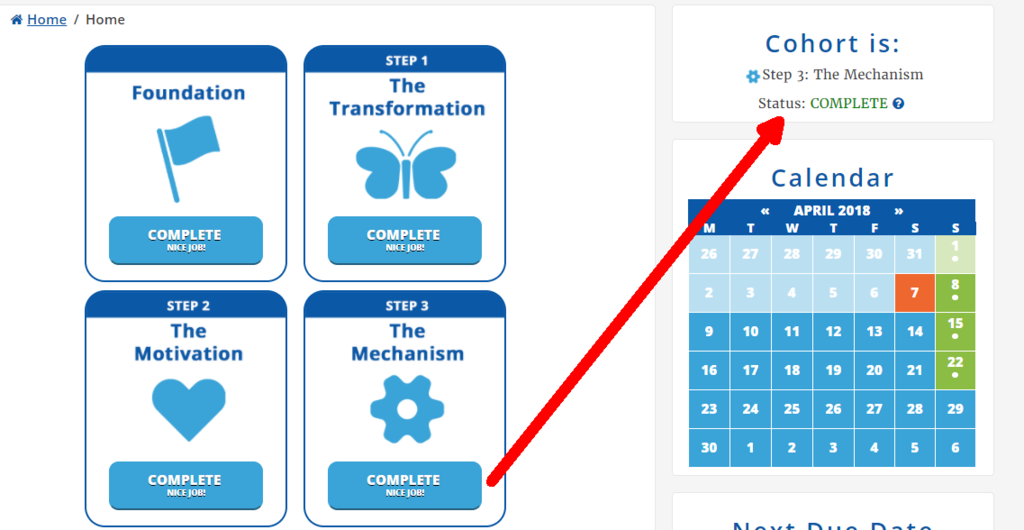
In this screenshot, the cohort is in Step 3. This user has completed this module (by completing the Step 3 Checkpoint), and is now caught up with the cohort.
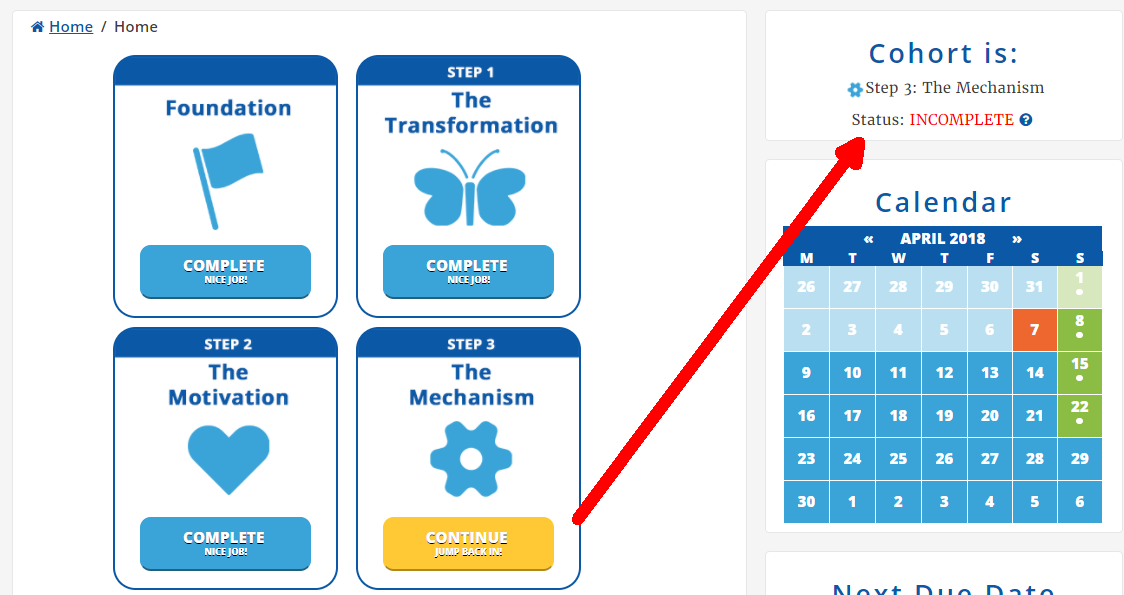
In this screenshot, the cohort is in Step 3. This user has not completed this module. The Step 3 module’s button is yellow, the status says ‘Incomplete’, and they are not caught up with the cohort and must keep up by the deadline.
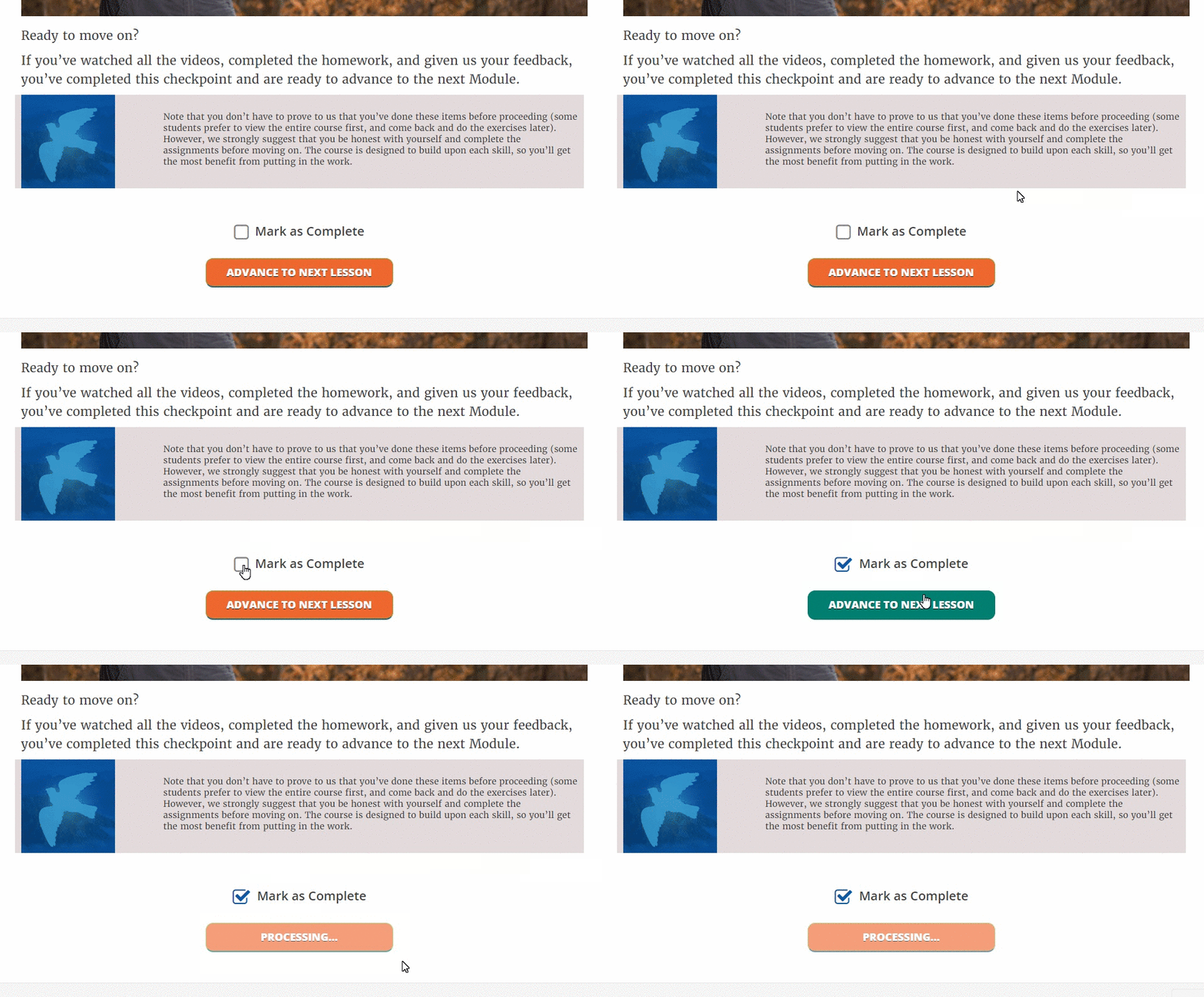
For a reminder on how to mark the lesson complete:
As part of the program, you get our 3 special bonus templates for turning your offer into a compelling sales page, a natural conversation, or a high-converting webinar.
Here are the links to download your PDF copies of those templates:
Offer Craft Template: Sales Page
Offer Craft Template: Conversation
You can print them out and pin them to the wall, save them on your smartphone or e-reader… whatever makes it easy for you to refer to them when you need them. (You never know when you might find yourself chatting to an ideal customer.)
For your reference: This is the video from the Foundation Module – the personal welcome from Danny.
Here’s our bold experiment to get you better results: If you don’t keep up with the course, you will lose access.
So here’s what the experiment entails:
Rather than let students sign up at any time and start at their own pace, we’re using a cohort-based progression. This means all students start at the same time … kind of like when you were in school. Everyone begins class on the same day.You’re required to keep up with the curriculum. Specifically, you’ll need to complete one module by Sunday night at 11:59pm PT each week to stay with the group.If you fall behind and don’t keep pace, you’ll lose your access to the course until a new group starts.
Q: What do I need to do to prove I’m keeping up?
A: Don’t worry, it’s easy.
Just follow these steps:
1) Watch the lesson videos and complete the homework.
2) Go to the module Checkpoint
3) Check the “Mark as Complete” box
4) Click the orange “Advance to next lesson” button
Q: Why are you requiring this?
A: Two reasons… the first is that we want our students to get the most from the course, and that can only be done when you actually complete it. And second, we challenge our students to continually test new things to make their courses better, so this is a test for us here at Mirasee.
Q: What happens if I can’t keep up?
A: We hate to see you go, but if you can’t keep up with the course or life gets in the way, we’ll be disabling your access to the course. We’ll send you a reminder and two warnings before you’re removed, so you’ll have plenty of advanced notice.
Q: Can I get a refund? How can I get reinstated in the course?
A: Unfortunately, we do not offer refunds for the course, but you’ll be able to try again the next time we run the program. It’s similar to university … if you suddenly drop out to backpack around Europe, you don’t get your tuition back, but you can try again the next semester.
Once again, we’re not doing this to scare you, but rather to test an approach that will help you to achieve your goals without slipping off schedule. We’ll be sending plenty of reminders to help you stay on track, so don’t worry too much.
Sorry. You must be logged in to view this form.